

We often hear news that a Facebook user’s social media account has been hacked or taken over by someone else. With the rise of account theft online, it’s crucial to stay alert and protect your accounts at a higher level to ensure personal and important data is not spread by irresponsible individuals. To do this, we need a security key to protect online accounts from hackers trying to take them over. One of the best security keys currently available is YubiKey, which can be used to protect Facebook accounts by using Two-Factor Authentication (2FA). With just one YubiKey device, you can protect multiple online accounts at once. Let’s take a look at how to register and log in using this security key device, YubiKey.
How to Register YubiKey for Your Facebook Account
- The first step is to log in to your Facebook account as usual. In the menu options, select ‘Settings & Privacy’ and then choose ‘Privacy Shortcuts.’
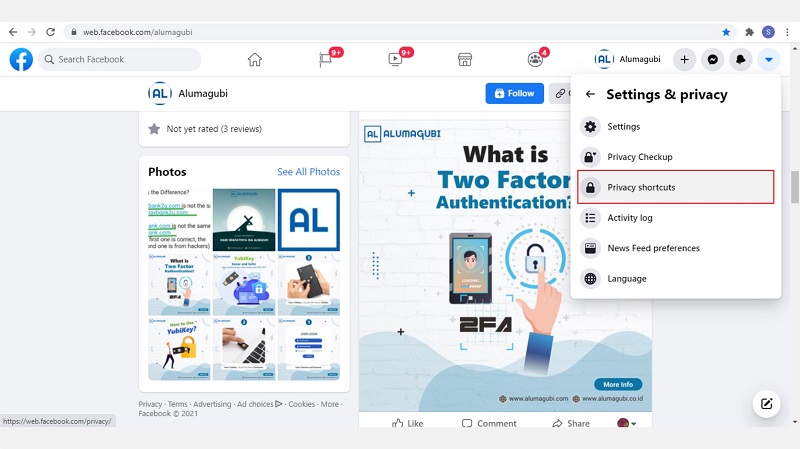
- Select the ‘Account Security’ tab.
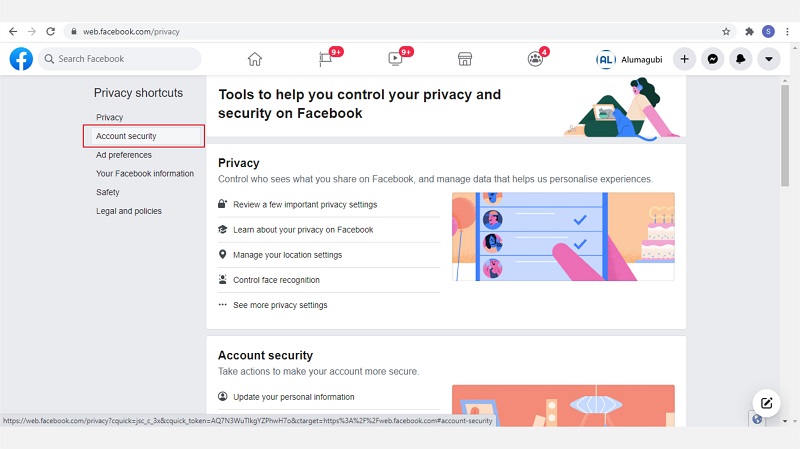
- Then, select ‘Use two-factor authentication’.
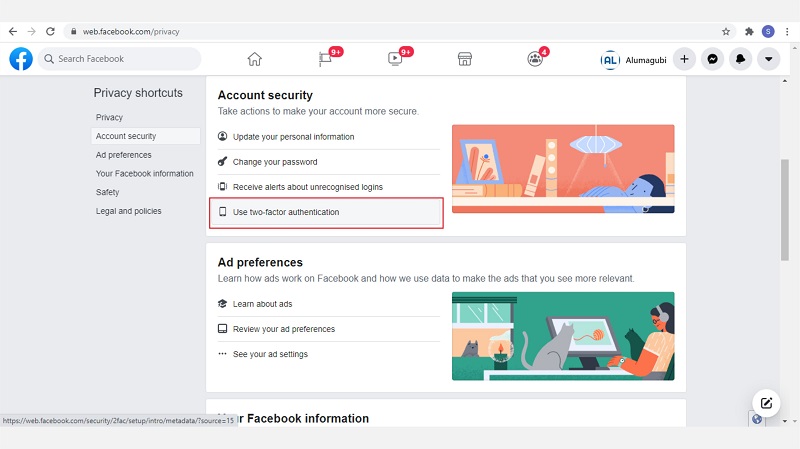
- On the ‘Help protect your account’ screen, select the ‘Use security key’ option.
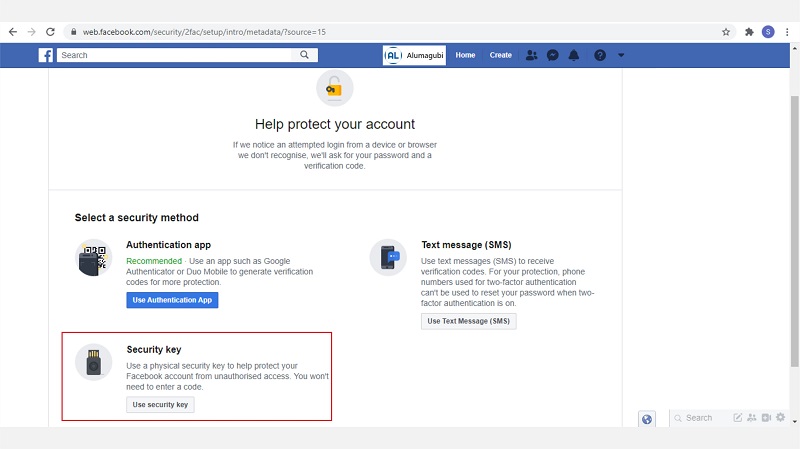
- Once the pop-up appears, click ‘Register Security Key.’
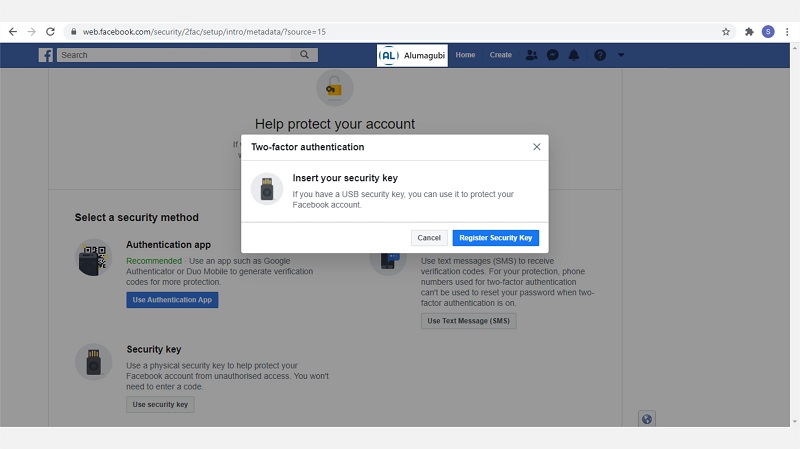
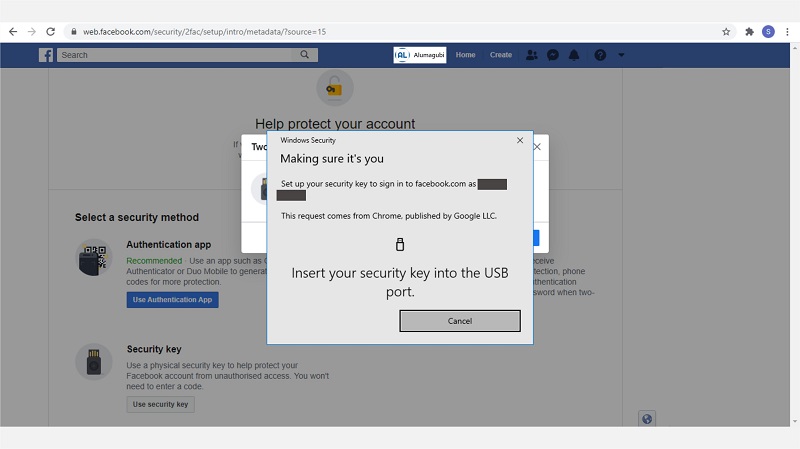
- A pop-up window will appear instructing you to insert the YubiKey device you have. Please insert the YubiKey device into the USB port of your computer or laptop.
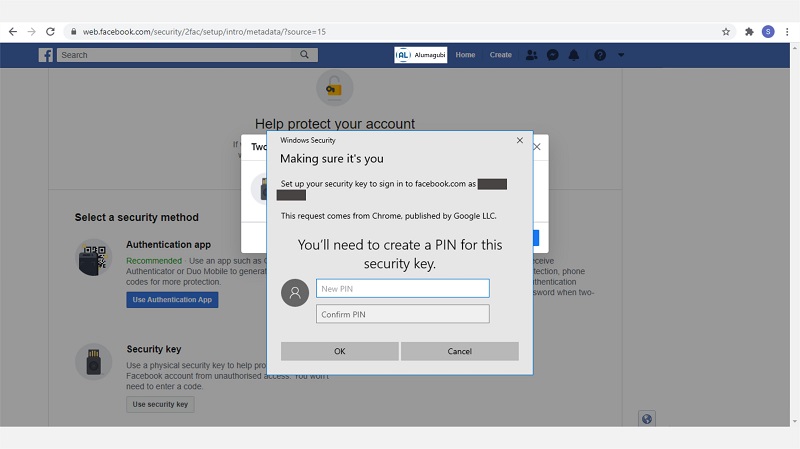
- At this stage, you will be asked to enter the PIN that will be used for login. Please enter a PIN with at least 6 digits.
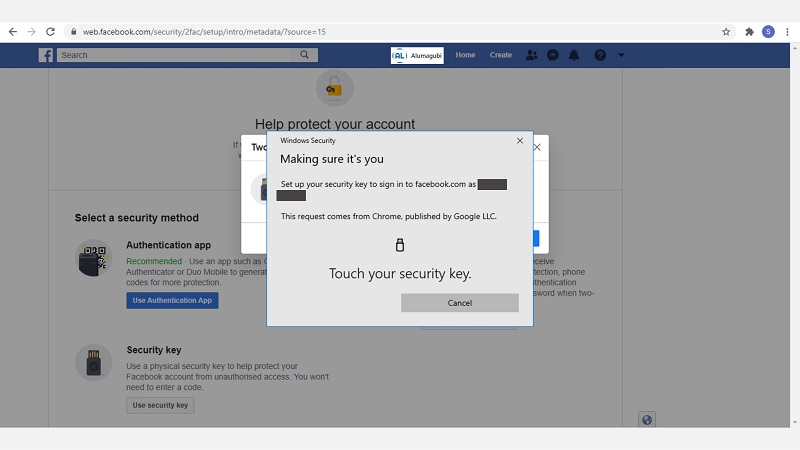
- Touch the YubiKey device that is plugged into the USB port.
- The YubiKey device has been successfully added to your Facebook account.
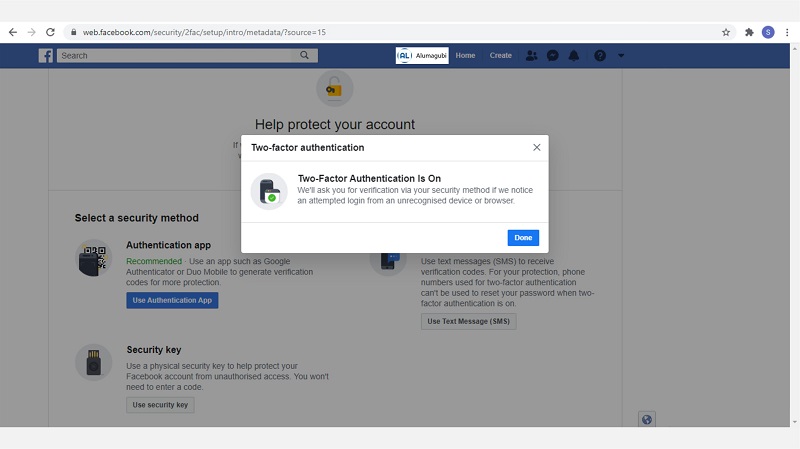
- Your Facebook account is now protected with the YubiKey security key.
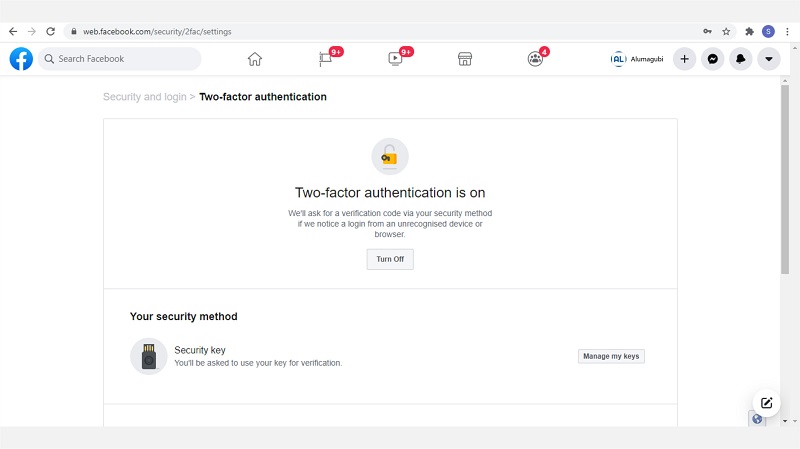
These are the steps to secure your Facebook account using YubiKey, protecting it from phishing or hacker attacks. To use your YubiKey security key, you can log out and sign in again to try it. You may want to find more information about YubiKey by clicking here.