

Social media is an essential part of our digital lives today. One of these social media platforms is Twitter, which we use regularly in our daily activities. Therefore, it is crucial to protect our Twitter account from malware attacks or hackers trying to take over our account. This is why a security key is needed to provide an extra level of protection. One of the best security keys available today is YubiKey, which helps protect hundreds of online accounts, especially Twitter accounts. The level of protection is enhanced by using the 2FA (Two-Factor Authentication) verification method. With just one YubiKey device, you can protect many online accounts simultaneously. Let’s take a look at how to register and log into a Twitter account using a security key device like YubiKey.
How to Register YubiKey to Protect Your Twitter Account
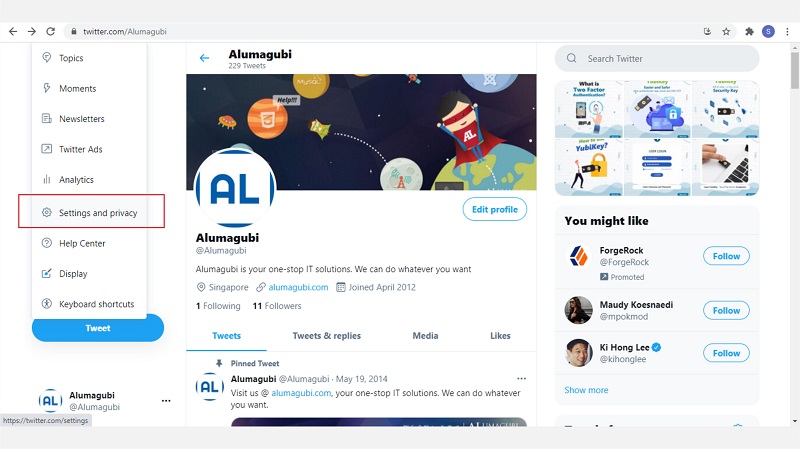
- Step 1: Log in to your Twitter account as usual. In the menu options, click “Settings and Privacy.”
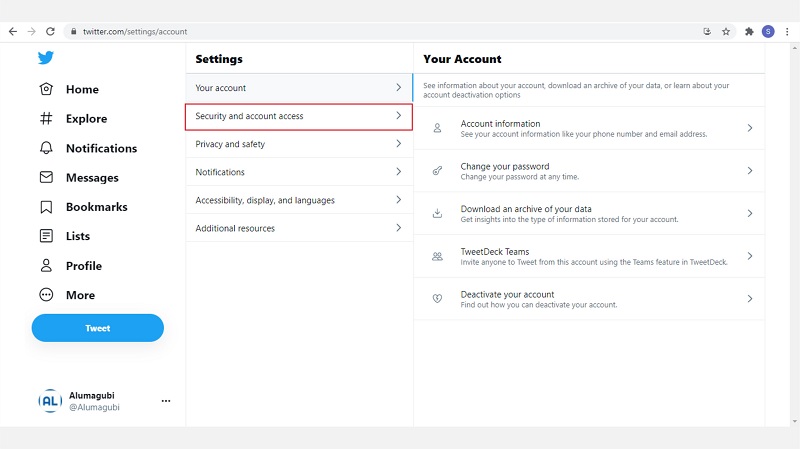
- Select the “Security and account access” tab.
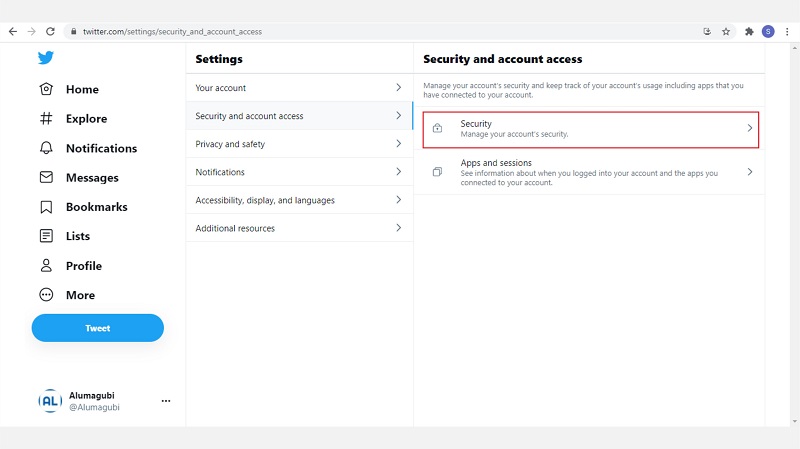
- Then, select “Security.”
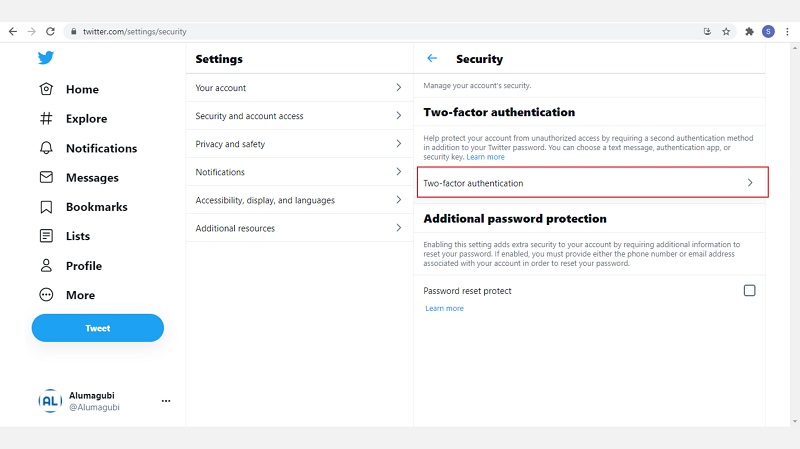
- In the Security tab, select “Two-factor authentication.”
- In the Two-factor authentication screen, you must first set up “Text Message” or an authentication app.
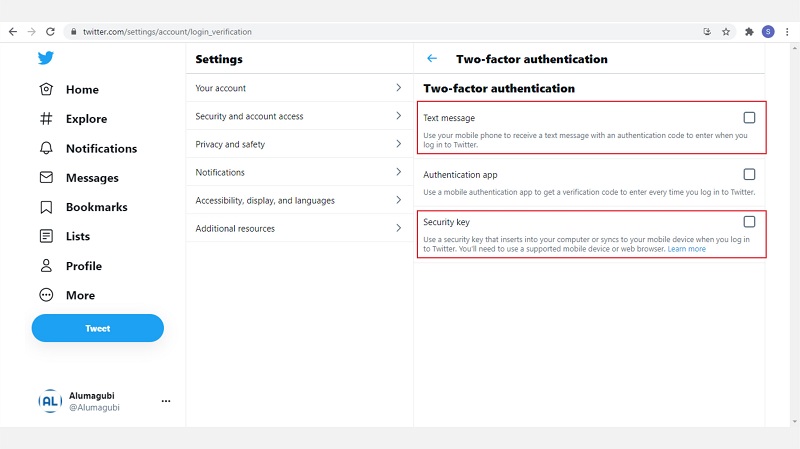
- After that, you can select “Security key” to set up your YubiKey security key.
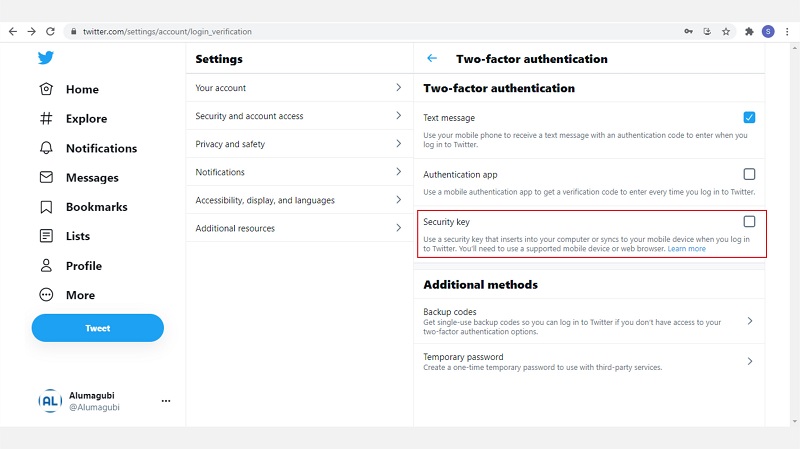
- Click the “Start” button.
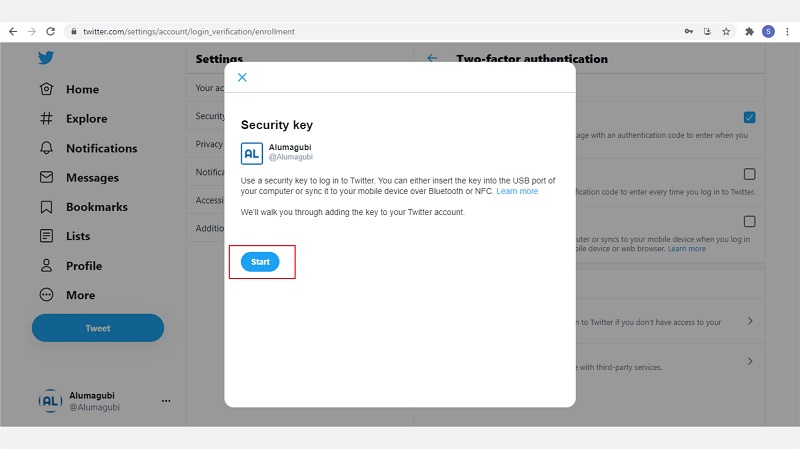
- A pop-up window will appear instructing you to insert your YubiKey device. Please insert your YubiKey into the USB port of your computer or laptop.
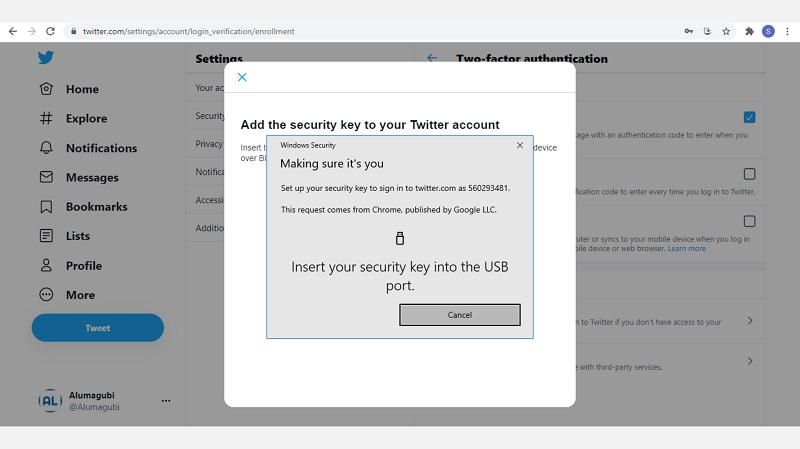
- At this stage, you will be asked to enter a PIN that will be used for login. Please enter a PIN with at least 6 digits.
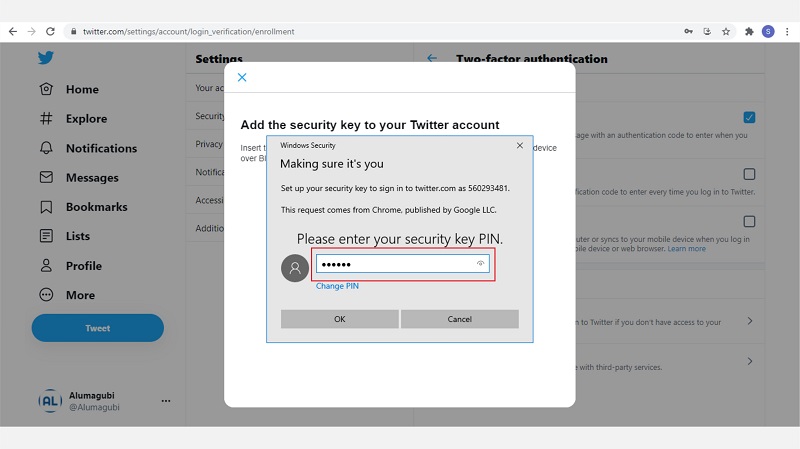
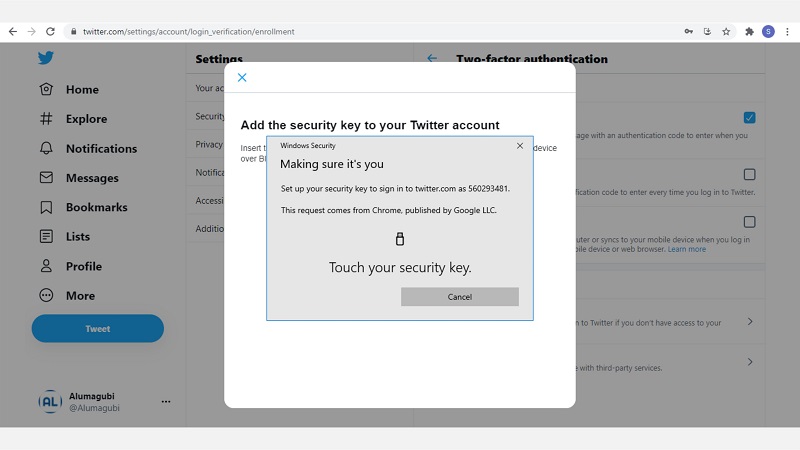
- Touch the YubiKey device that is plugged into the USB port.
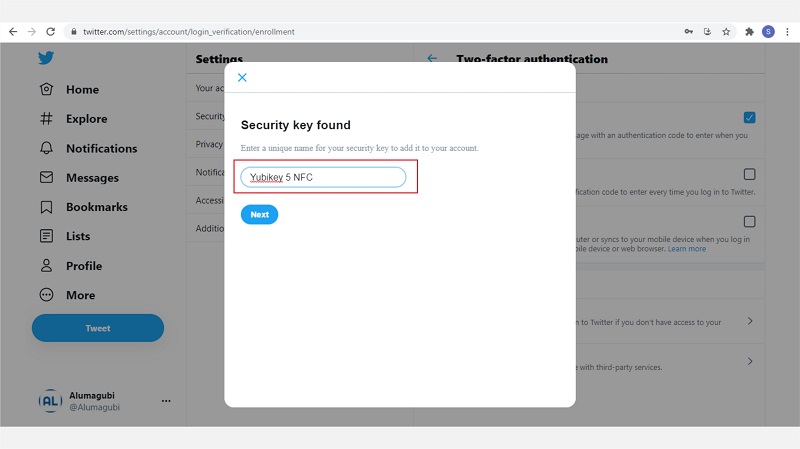
- Enter a name for your YubiKey device as desired.
- A code will appear as a backup for your security key.
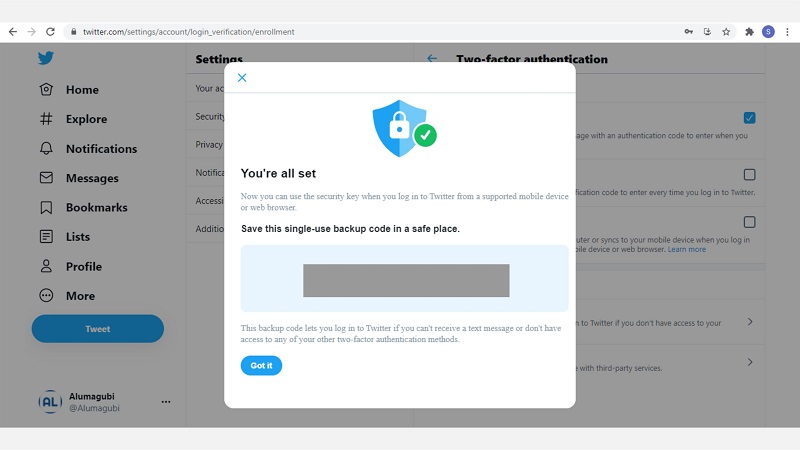
- The YubiKey device has been successfully added to your Twitter account.
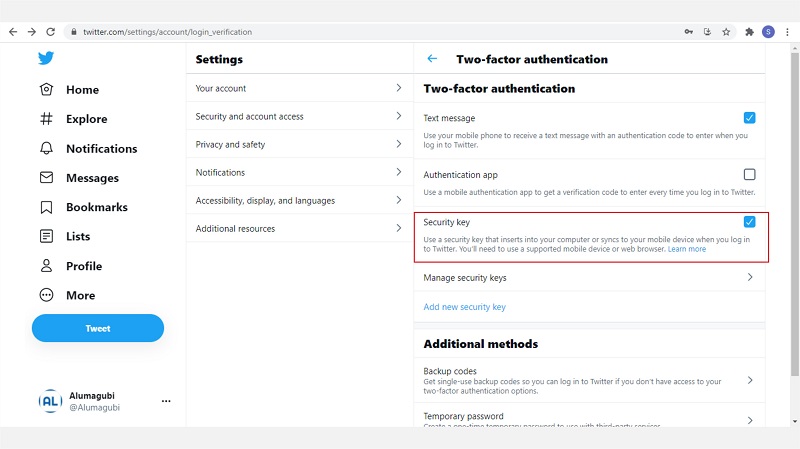
- You can also add multiple YubiKey security devices to your Twitter account.
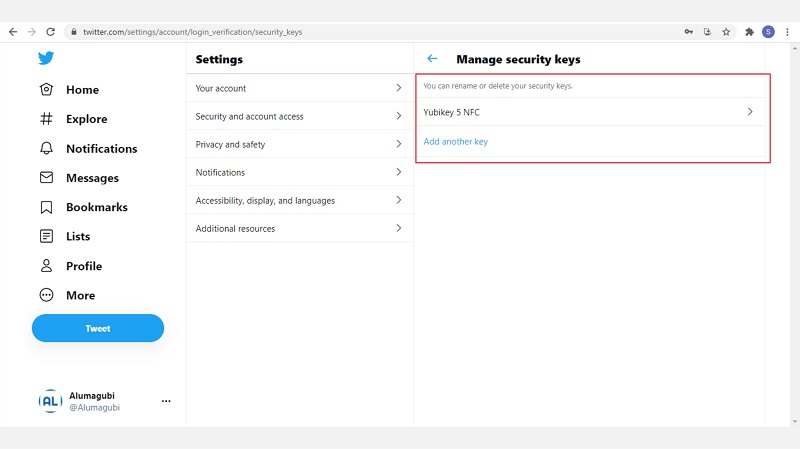
These are the steps to secure your Twitter account using YubiKey, protecting it from phishing or hacker attacks. To use your YubiKey security key, you can log out and sign in again to test it. You may also want to find more information about YubiKey by clicking here.