

Did you know that just using a username and password is not enough to secure your online accounts like Google? Two-Factor Authentication (2FA) is needed as a security key. For this, an advanced security key authentication is required. Prevent account takeover by using YubiKey for the best security with modernized authentication through two-step verification. Below are the steps to secure your Google account using YubiKey:
How to Register YubiKey on Your Google Account
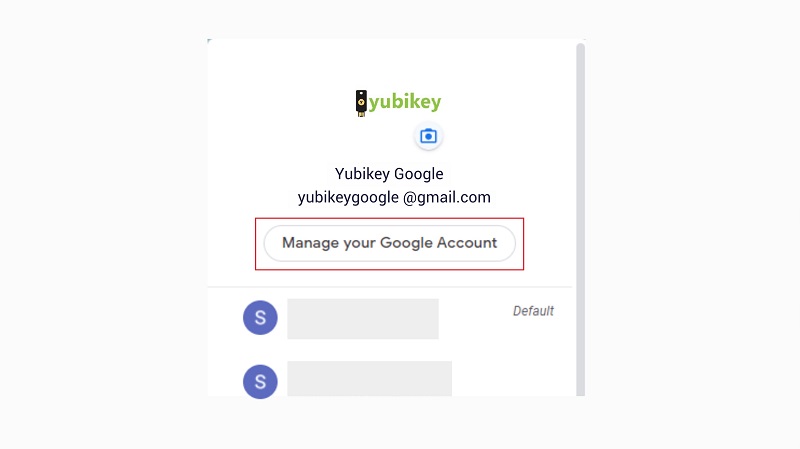
- From the options, select ‘Manage your Google account’ to protect the account using YubiKey.
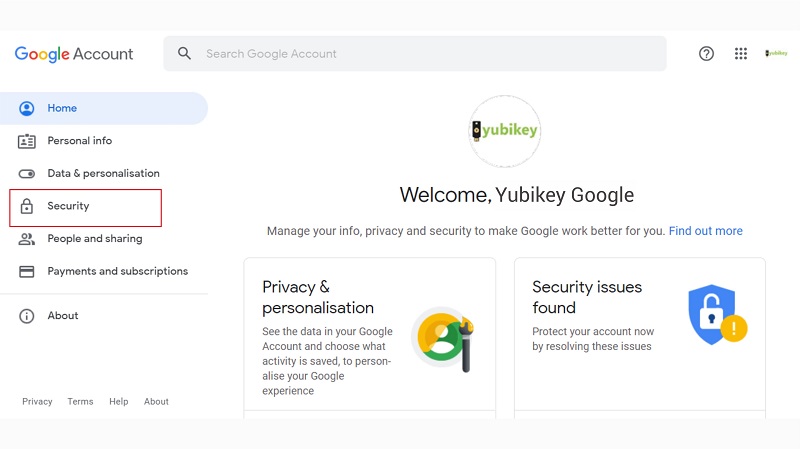
- Select the ‘Security’ tab to set up two-step verification.
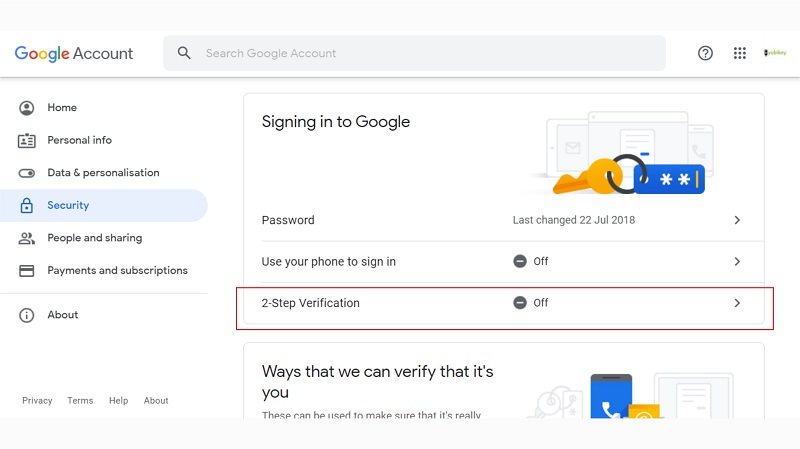
- Select ‘2-Step Verification’.
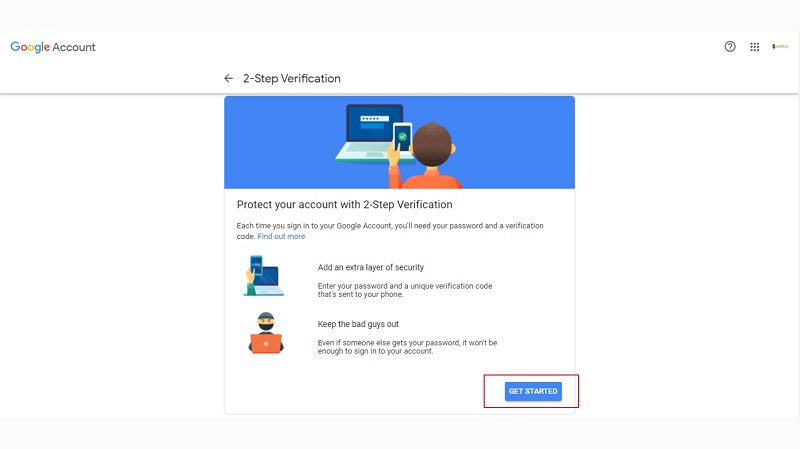
- Select ‘GET STARTED’.
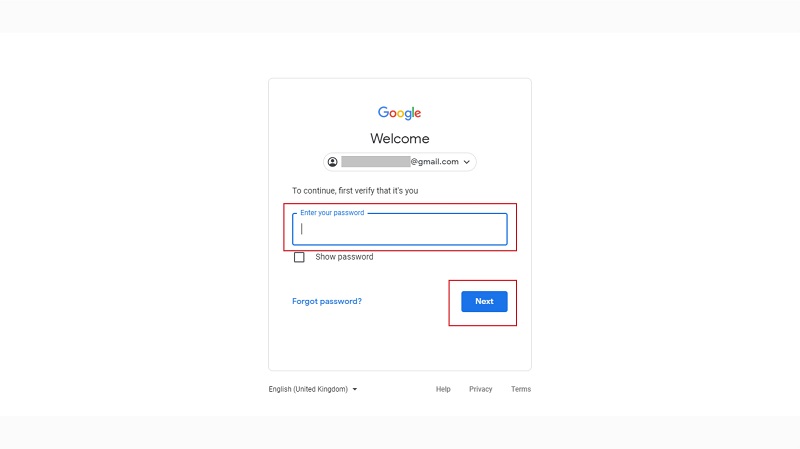
- Enter your Google account password, then click ‘Next.’
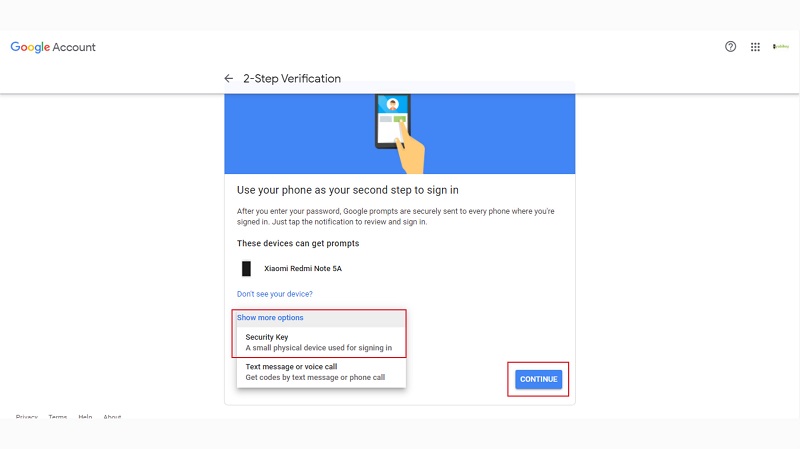
- Under the ‘Show more options’ section, select ‘Security Key.’
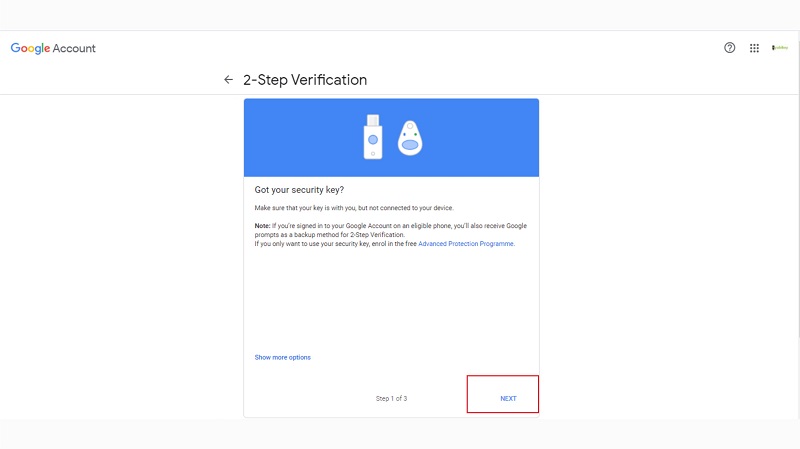
- Then, click ‘Next.’
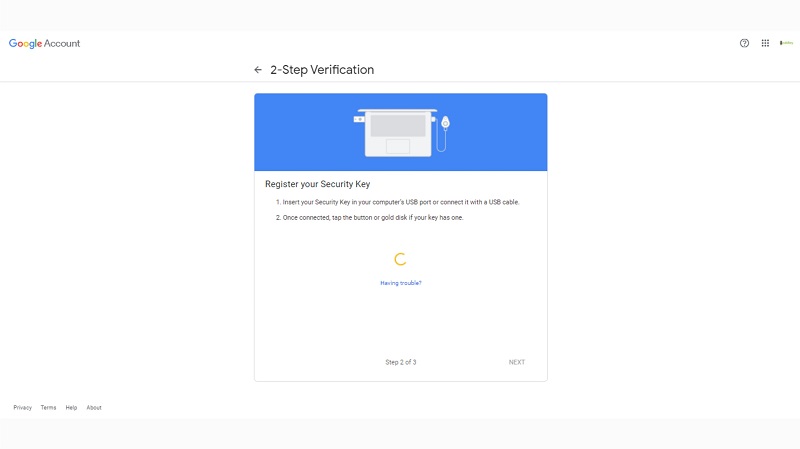
- Insert your YubiKey device into the USB port of your computer or laptop.
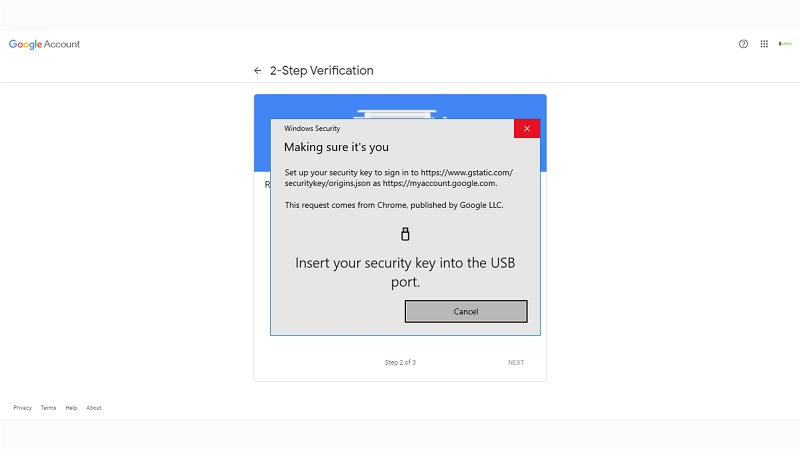
- Touch the YubiKey device that is plugged into the USB port.
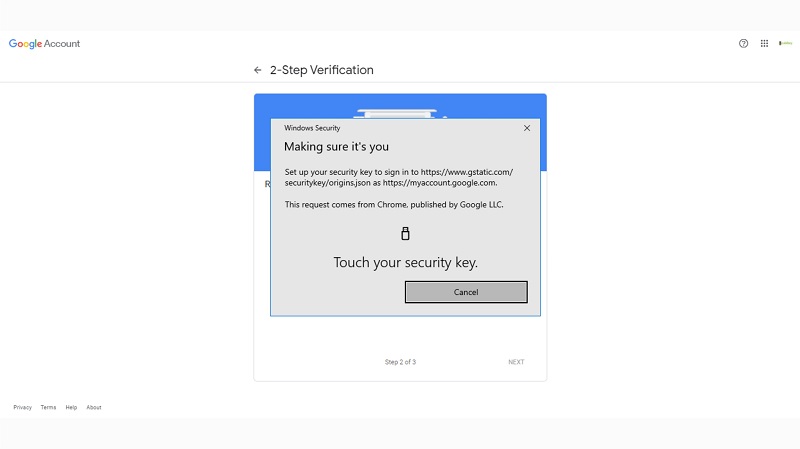
- Wait for a few seconds.
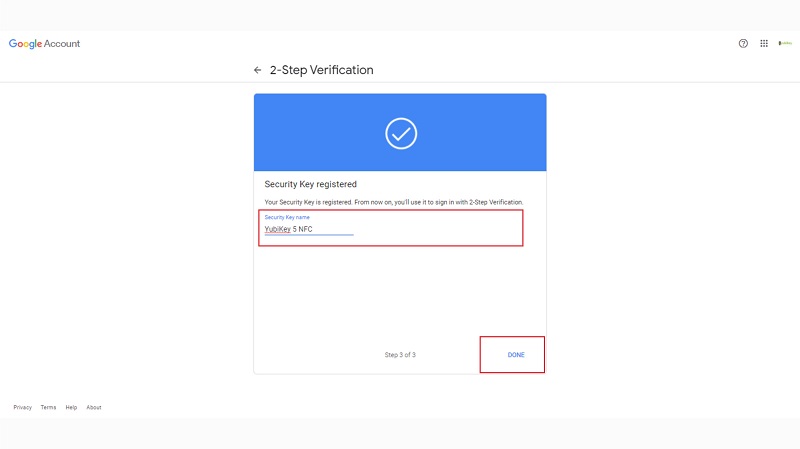
- Type the name of your security key as desired.
- The YubiKey device has been successfully added to your Google account.
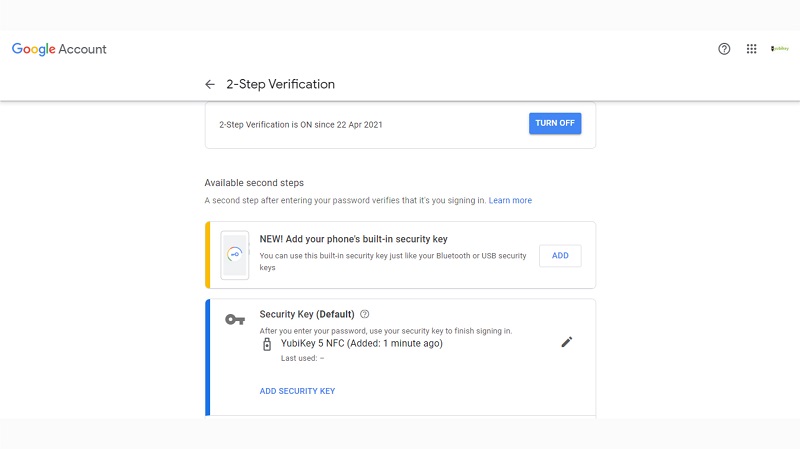
- Now you can log in to your Google account using YubiKey with the two-step verification method.
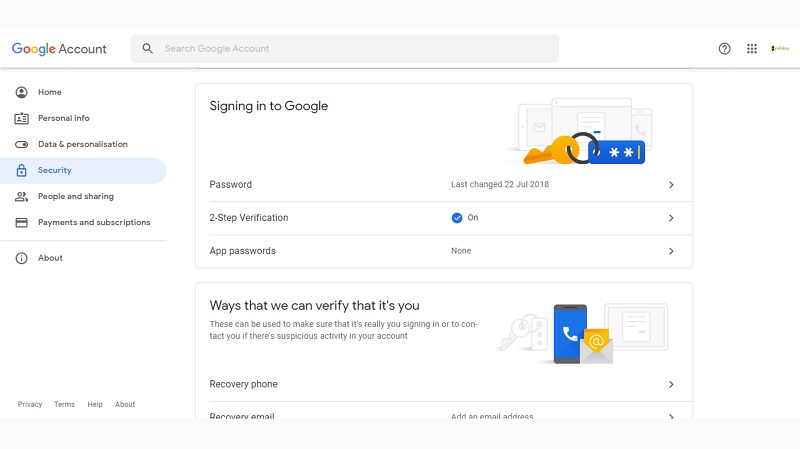
These are the steps to secure your Google account using YubiKey, protecting it from phishing or hacker attacks. Now that your YubiKey has been successfully added, you can log out and sign in again to try it out. You may want to find more information about YubiKey by clicking here.